The Approximately Monthly Zoomer

Hardware Hacking 2: Episode One
2026-09-25
Being severely employed and its consequences have been a disaster for my blogging pace. Nonetheless, it’s finally time to tear something apart and put on my thinking cap to understand how it works. I’ll try to describe, start to finish, my thinking process - how I go about finding out what a certain device does, how it works, how to fix it, how to extract data from it. Okay, maybe not start to finish, because saying “I’m able to hold more than one thought at a time” would be a criminal understatement considering my “train of thought” would be better described as a loose collection of Deutsche Bahn train carts in front of an 18 track terminus.
Looking With Your Eyes
Imagine, if you will, a small device, a devicey device, brand name Digoo, small, black, rectangular, velcroed to the storm drain of your newly rented apartment. A device you didn’t put there. Even at this stage, you can already answer a few question about the device:
- *Where is it found?* Outside, so it's probably intended for outdoor use.
- *Is it hidden?* Not really, it was hung at eye-level in plain sight, probably no surreptitious intent.
- *Who has access to it?* It's on the flat's balcony, so only the previous tenant, the landlord, and the current tenants, it most likely belongs to one of those people.
- *Are there any cables plugged into the device?* No, so it's probably battery powered and if it communicates, it does so wirelessly.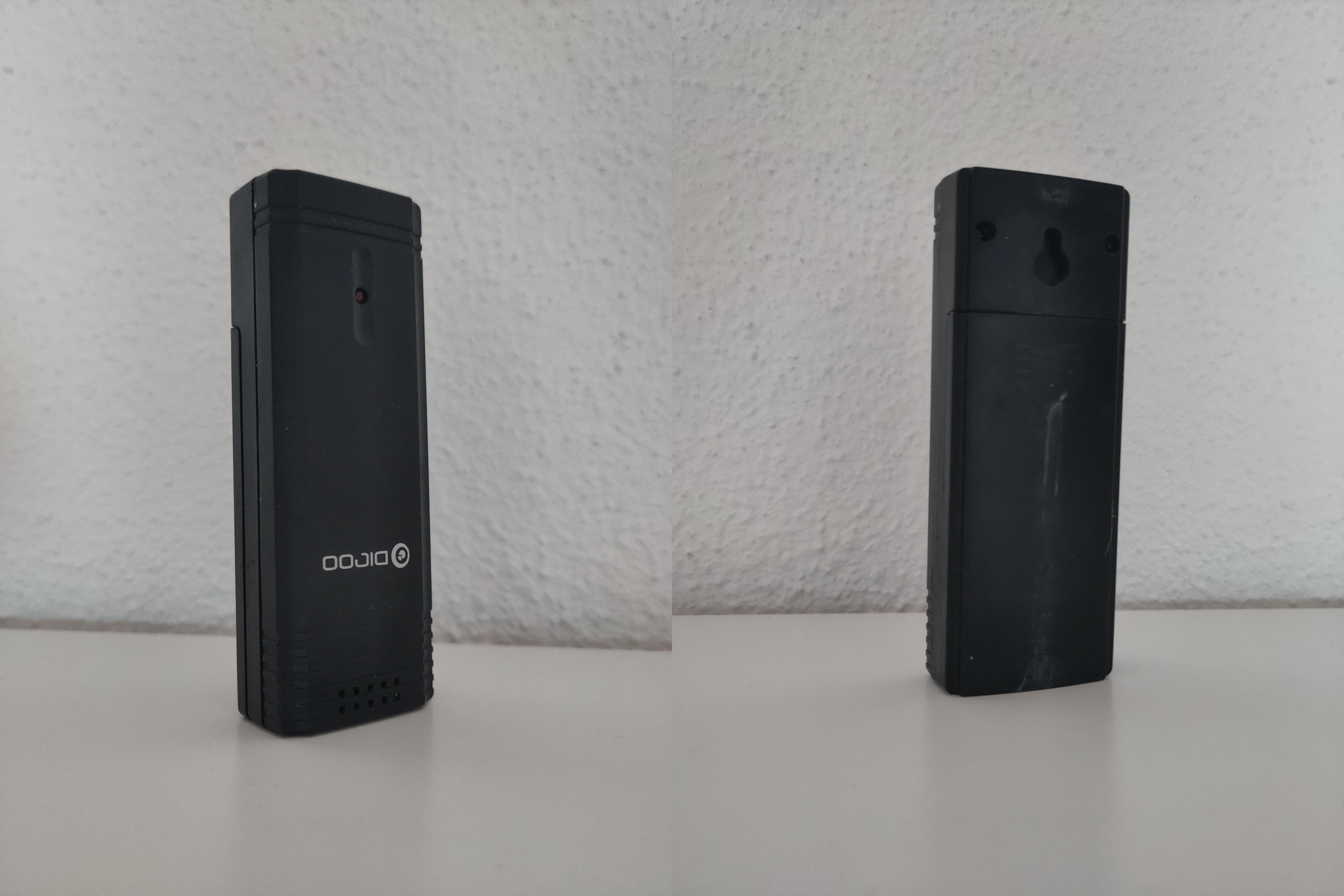
Looking With Your Hands
Barring surreptitious intent, a simple look is sometimes all it takes to realize what a device does, because routers, cameras, and phones are all phenotypically similar in their respective categories. In this case, I just assumed it was a temperature sensor based on its location and I searched for “digoo sensor”. It was the first result. In general, if you see certain types equipment often, you can more easily recognize it. Working in fire safety and protection probably helps you identify certain smoke detectors and sprinkler systems more easily. However, not everyone has a vast catalogue of electronics devices embedded (pun intended) in their brain and sometimes things are not as obvious. Maybe somebody wants to hide a device within another, like some short-term rent seekers do. In that case, you need to get personal with the device and look at it with your hands.
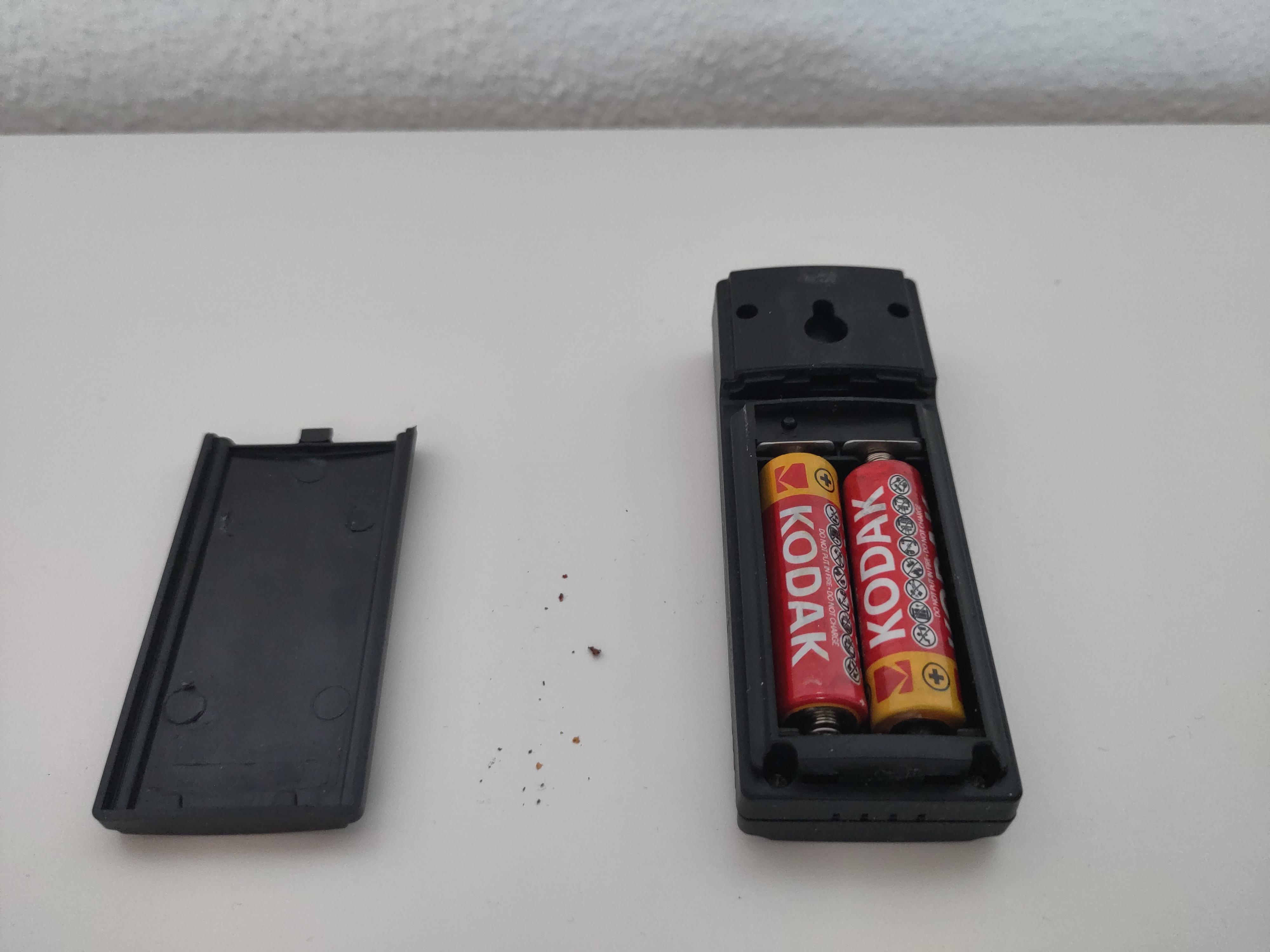
- *How large is it?* Barely larger than the batteries inside, so there is probably not a whole lot of electronics going on inside.
- *What color is it and has it been painted?* It's black and doesn't show any sign of being painted, its appearance hasn't been changed to appear as something else or blend into the background.
- *What material is it?* Plastic, no clear markings as to which type.
- *Are there any logos, markings, letters, numbers on it?* Only the brand "DIGOO".
- *Any externally visible components?* Yes, an LED (to show its status, e.g. working/running, sending, low battery), a keyhole mounting slot (to hang it on a wall), some holes/perforations (perhaps for a microphone or speaker inside?)
- *Does it have any compartments that can be opened?* Yes, a battery compartment.
- *How is it powered?* There are two AA batteries inside.
- *Does it have any switches or buttons?* Yes, one labelled "CH" in the battery compartment. Maybe this stands for "Channel"?
- *Is the case injection moulded?* Yes, there are visible ejector pin marks, so it's probably an off-the-shelf device.
At this point you should already have a general idea, about the device’s power usage. If it has to be plugged in, it probably uses a lot of power compared to battery devices. Plugged in devices usually have to calculate a lot themselves or need the power to transmit data somewhere else. This device is battery powered and intended for outdoor use. Most would consider having to change the batteries very frequently a design flaw so it probably doesn’t use much power.
Looking With Your Screwdriver
Now that you’ve taken a look at everything you can access with your hands, it’s time to go deeper.
- *Do the screws look new or are they already somewhat stripped?* They look brand new, the device has probably not been opened since it was manufactured
- *Do the screws unscrew easily, are they loose, do they "click" when unscrewing?* They are tight, but not too tight, they "click" when unscrewing, further confirming this device has probably not been tampered with.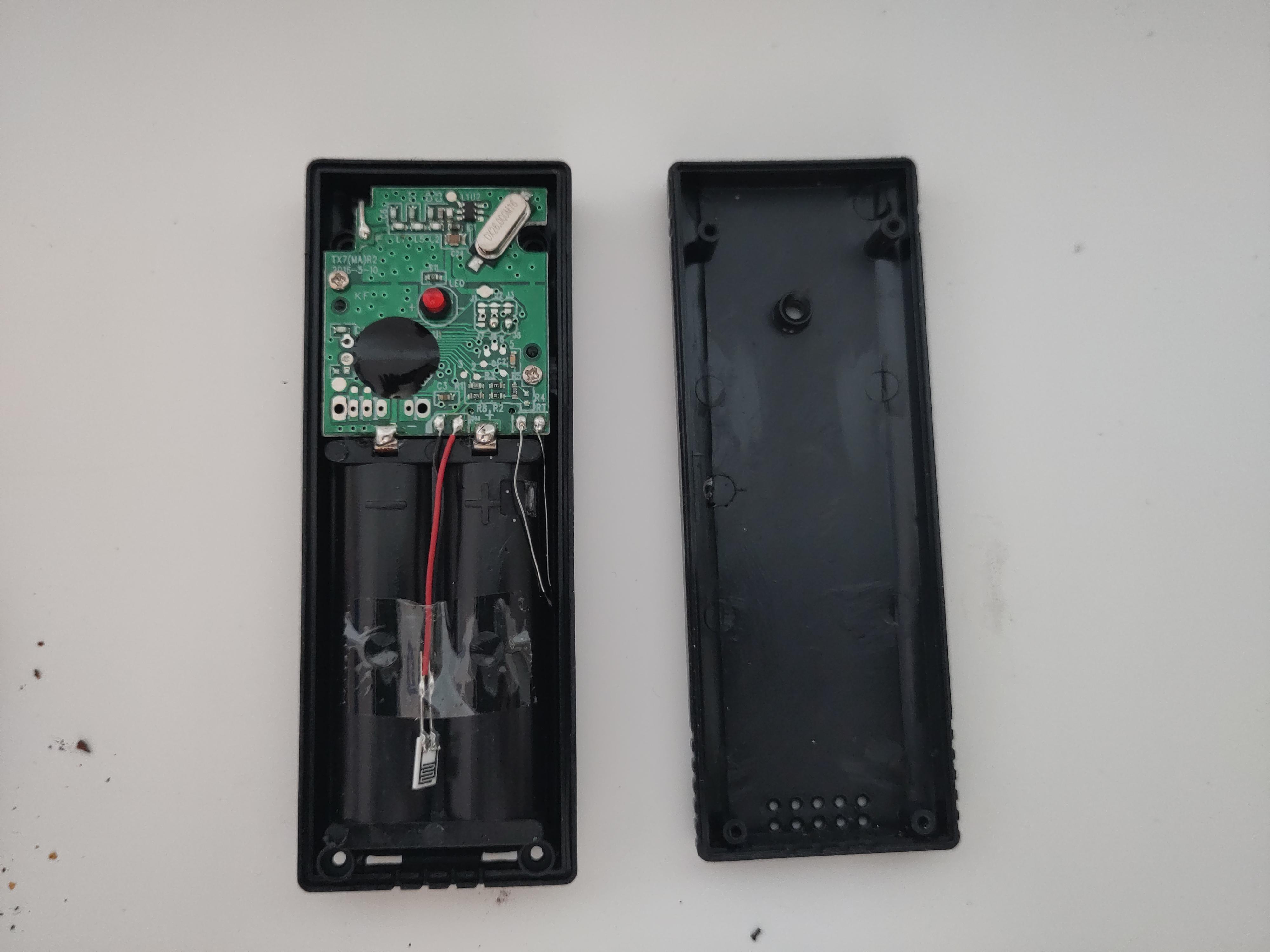
Now you start disassembling, unscrew all screws you can see, preferably depositing the screws in such a way, you know how to put them back. Use plastic spudgers or old credit cards to gently pry open the case should it not open immediately. Avoid prying it open with metal screwdrivers, the scratch marks will be visible, no matter how gentle and careful you are. Some manufacturers also like to hide screws behind stickers, use a screwdriver to gently scrape against a sticker to see if it dips into a hole behind the sticker.
With its components laid bare, look for any markings and identifiers.
- *Is the motherboard labelled with a name or version number?* TX7(MA)R2, 2016-5-10. R2 probably means second revision and 2016 is either the design year or the manufacturing year.
- *Is there any info on the case from the inside?* Only some markings further comfirming that the case is injection moulded.
- *Any QC stickers?* None.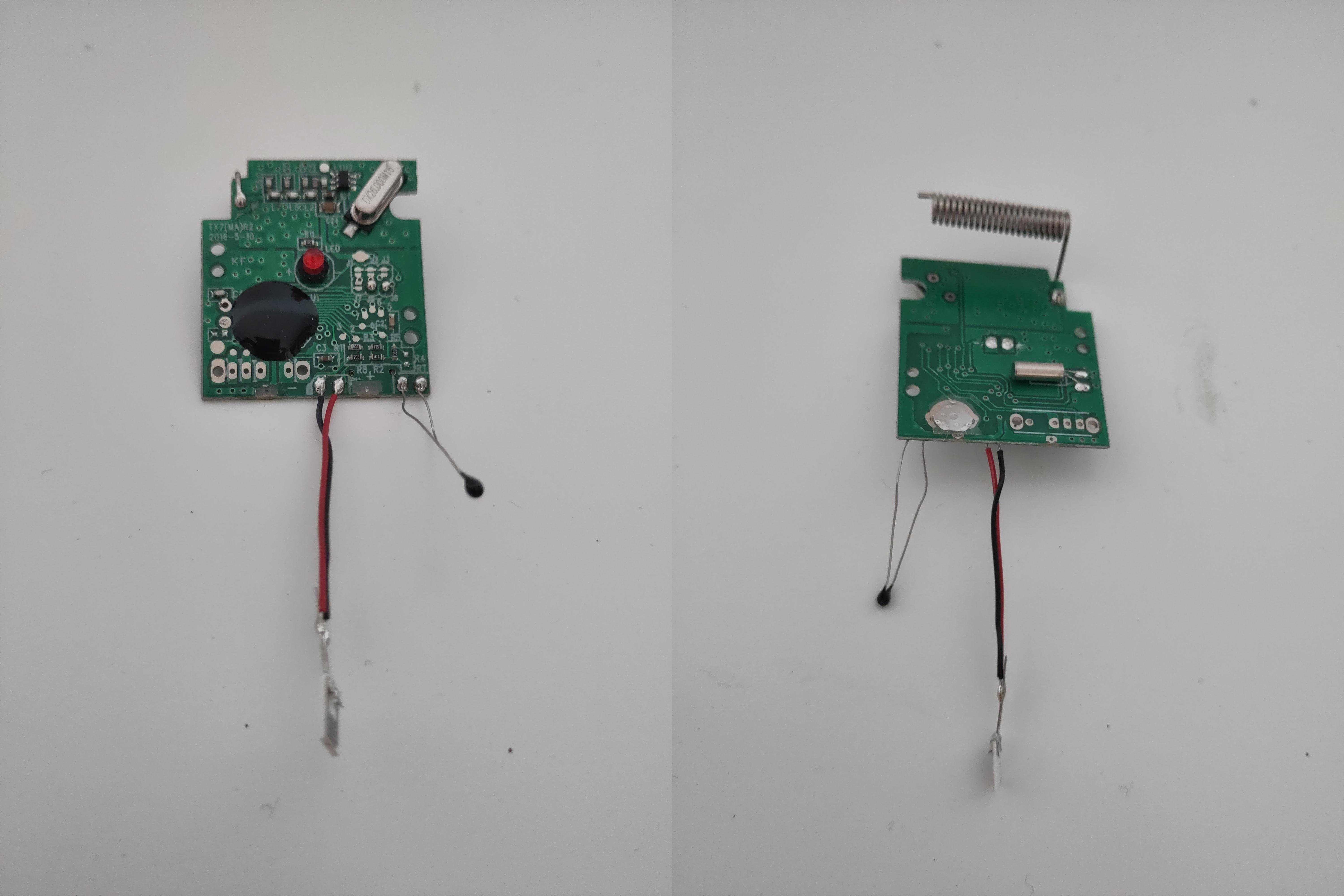
If you’ve taken a look at everything general, it’s time to take a look at the components and how they work together. This takes some practice and electrical engineering knowledge, but definitely not as much as one might think. While you can try to create a (mental or digital) model of the whole device, it’s usually enough to identify a few of the big components to infer the rest.
On this device we have: - A coiled antenna - Two oscillators - A black blob™ (COB) - A humidity sensor - A resistor with long long legs (temperature sensor, thermistor?)
Sidenote: You can calculate the rough wavelength range of the antenna with the quarter or half wave estimate. The length (L) of the conductor is (diameter: 4.5mm, length: 23mm, turns: 23, end/front pieces: 10mm) 335mm. Divide the speed of light by two or four times the length L and you get: 447.5MHz and 223.7MHz respectively. Give or take 20MHz because I didn’t measure it that exactly. The 443MHz radio band can be used with very little restrictions around the world, which is why most radio weather stations, garage door openers, wireless TV headphones, etc. use this frequency.
Sometimes it helps to search for the part numbers on some of the chips, this will usually tell you if it’s memory, a processor, or something else entirely. In this case, we only have a black blob™, so nothing to search for. The manufacturer either wanted to protect the chip from the elements, or they didn’t want anyone to know exactly which kind of chip they are using.
Done Looking
At this point I would usually get out the soldering iron and IC clamps, look for UART, roll for Arcana and get ready to attune to the device for it to reveal its secrets without destroying it in the process. Not in this case though. What we have found out so far is enough to determine what the device does. It’s a battery powered temperature and humidity sensor that broadcasts its measurements on 433MHz.